
There are several interactive display technologies that are commonly used in education settings. The best option depends on the specific needs and budget of the institution. Here are some popular choices:
- Interactive Whiteboards: Interactive whiteboards are large touch-sensitive displays that can be written on or manipulated with touch gestures. They typically connect to a computer and projector, allowing teachers to display content and interact with it. Promethean ActivBoard and SMART Board are well-known brands in this category.
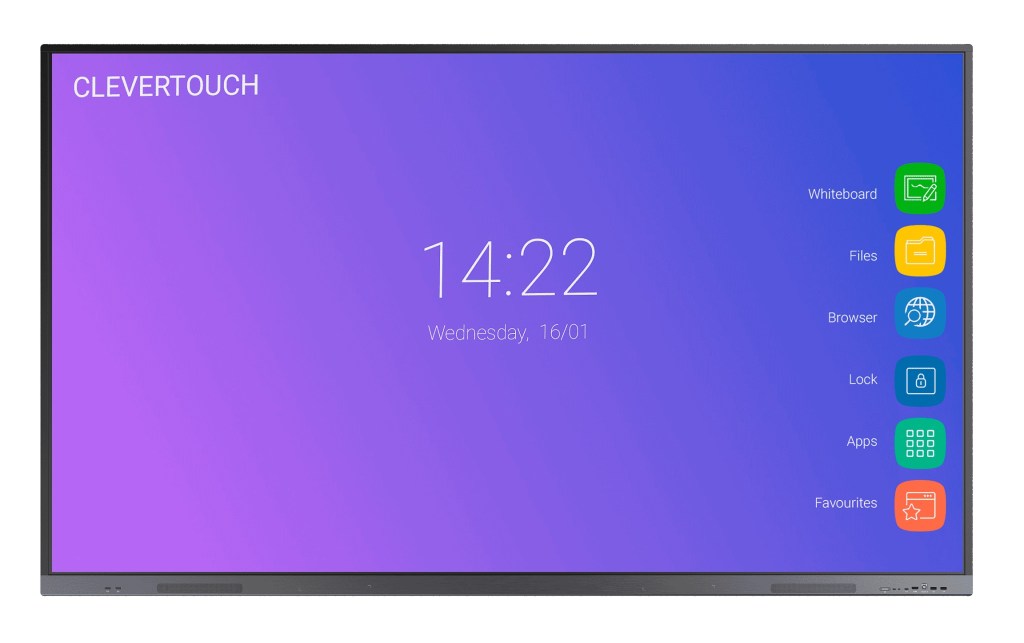
- Interactive Flat Panels or Interactive displays : These are large, high-definition displays with touch capabilities. They offer similar functionality to interactive whiteboards but without the need for a projector. Some popular brands include Clevertouch, BenQ, and ViewSonic.
- Interactive Projectors: Interactive projectors are devices that can turn any surface, such as a whiteboard or wall, into an interactive display. They project the computer screen onto the surface and allow users to interact with it using a special pen or touch gestures. Epson and Optoma are prominent brands in this category.
- Touchscreen Monitors: Touchscreen monitors are individual displays with touch functionality. They can be used with a desktop computer or laptop to create an interactive learning environment. Dell, HP, and Asus are among the manufacturers that produce touchscreen monitors suitable for educational purposes
What educational software for classroom interactive displays?
- There are several software options available for interactive displays, depending on your specific needs and requirements. Often software bundle are included with your interactive display purchase. Here are some of the popular ones:
- Touchscreen Learning suite: Touchscreen learning suite is a all-in-one collection of educational applications, tools and resources designed to enhance learning experiences throug touch-based interactions. It includes interactive learning games, multimedia content, collaborative tools, and other educational resources tailored for touchscreen devices.
- Lynx: Designed for interactive displays, LYNX Whiteboard is a free-to-use lesson-building app for effective student collaboration. The most dynamic, intuitive user experience of any whiteboard – with drag and drop, pinch to zoom, and easy swipe menus.

Point to remember: Assess your specific requirements, such as the type of interactivity you need, compatibility with your hardware or display system, and the level of technical expertise you have when choosing the software that best suits your needs.
Overall, It is important to consider factors like display size, resolution, touch sensitivity, connectivity options, durability, and compatibility with educational software or apps when choosing an interactive display for education. Additionally, considering the support and training provided by the manufacturer or supplier can be valuable in ensuring successful implementation and usage in the classroom.
 Touchscreen Learning | Software & apps for tablets, iPad & classroom displays